Stardock ObjectDock 3.01
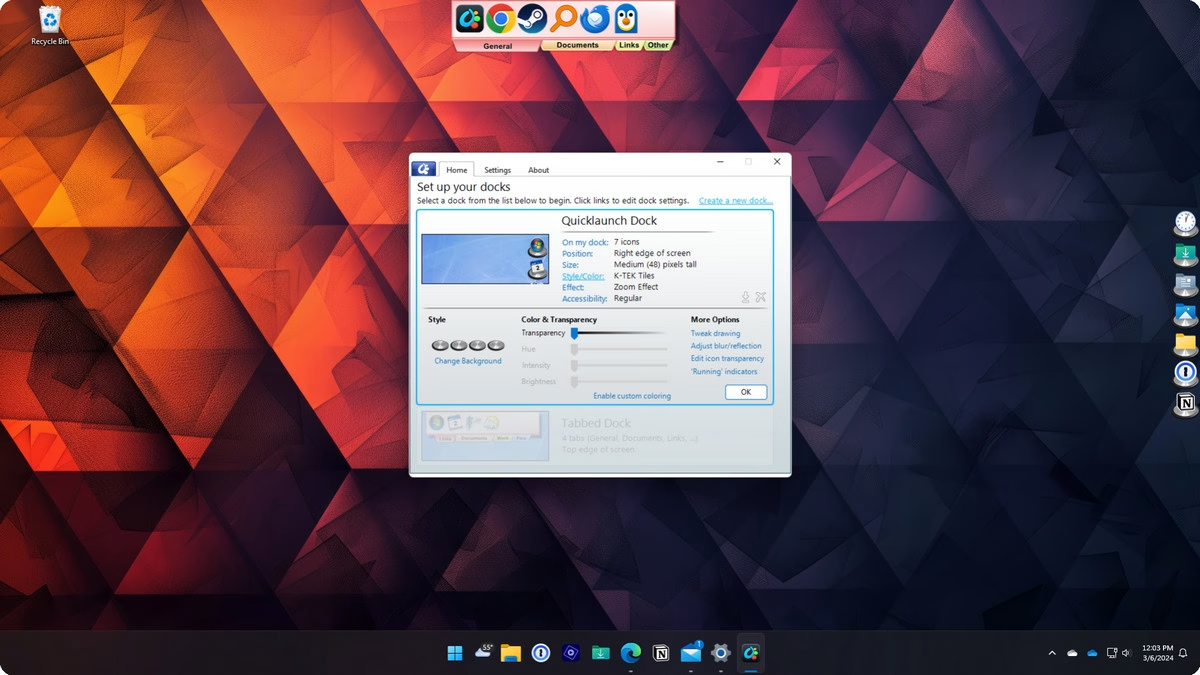
Dynamic Dock for the Modern Desktop. ObjectDock is an animated dock for Windows that enables you to quickly access and launch your favorite applications, files and shortcuts.
Languages: English | File Size: 59 MB
Динамический док для современного рабочего стола. ObjectDock — это анимированный док для Windows, который позволяет быстро открывать и запускать любимые приложения, файлы и ярлыки.
Customized to your desktop
Create a dock that optimizes your workspace with multiple styles and content types.
Personalized to your preferences
Easily change the size, colors, font, transparency, and backgrounds of a dock.
Multiple styles with unique features.
Tabbed docks for perfect organization
Add a tabbed dock to your desktop to easily keep frequently accessed files, links and other content neatly tucked away on the edge of your display.
Quick launch for fast access
A quick launch dock is perfect for accessing commonly used applications and you can add multiple docks to your desktop.
Take complete control of your dock.
In focus or out of the way
Advanced options let you decide if a dock is always on-top or hidden when using other applications.
Styled to perfection
Easily change the effects of a dock to adjust the icon size, effect, transparency, and a lot more.
Gaming
Steam, Epic, and more - every major publisher has its own platform and with some games even having multiple icons, your desktop can become a cluttered mess of content.
Organize all of your games into a single dock for quick access.
Keep all your game launchers in one location on your desktop.
Put all your streaming apps into a quick launch dock for easy access while playing your favorite game.
School
Keeping your school apps and content separate from your other content is easy with ObjectDock.
Create a quick launch dock that has school focused apps.
Add all your schoolwork to a tabbed dock so that it’s easily accessible but not always in your way.
Use ghost mode to create a distraction free desktop while working on a project.
Productivity
Making it easy to quickly access your apps and content is at the heart of ObjectDock. With multiple docks and two different styles, it’s easy to organize your workflow.
Create a quick launch dock for a specific task and hide it so that it only shows exactly when you need it.
Add a tabbed dock to your desktop to quickly access files and folders without having to open File Explorer.
Place multiple docks on your desktop for maximum organization and to keep your workspace clean and organized.
Accessibility
ObjectDock makes it easy to increase the size of desktop content to improve accessibility and reduce distractions.
Easily hide the Windows taskbar and replace it with a quick launch dock with icons that are significantly larger than the default Windows experience.
Change the size of icons and how they are displayed for easier viewing.
Adjust colors and transparency of docks and icons to improve visibility.
Home Page - https://www.stardock.com/products/objectdock/
Download from file storage
Stardock ObjectDock 3.01 + patch-Jasi
Users of Guests are not allowed to comment this publication.