Auto Presentation Switcher 3.1.3.19
Auto Presentation Switcher (APS) lets you control multlple PowerPoint, Keynote and PDFpresentations with Companion/Stream Deck and keybaord shortcuts. Use images, screenshots and videos to make transitions between presentations look seamless. Our goal is to give AV-technicians the same tactile control over presentations as they are used to from audio, video and light consoles.
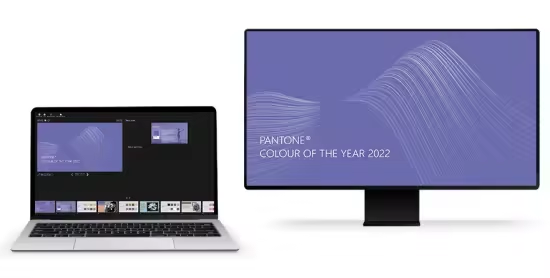
Languages: English | File Size: 61 MB
Автоматический переключатель презентаций (APS) позволяет управлять несколькими презентациями PowerPoint, Keynote и PDF с помощью Companion/Stream Deck и сочетаний клавиш. Используйте изображения, снимки экрана и видео для плавного перехода между презентациями. Наша цель — предоставить специалистам по аудиовизуальному оборудованию такой же тактильный контроль над презентациями, как и с помощью аудио-, видео- и световых пультов.
Control PowerPoint, Keynote, and PDF with Companion & Stream Deck
Transform your Stream Deck into a powerful presentation controller, allowing you to start presentations, navigate slides, and monitor your files. With Companion, you can control your presentations from anywhere over the network and manage multiple presentation computers simultaneously, including main and backup systems.
Switch Presentations with Keyboard Shortcuts
You can use APS without Companion, thanks to our powerful keyboard shortcuts. While displaying a presentation, simply press the NEXT shortcut (Ctrl + Right Arrow for PC or Command + Right Arrow for Mac) to move to the next presentation in the folder. To prepare for your show, organize all your presentations alphabetically in a folder. Start the first presentation for the initial speaker, and during the event, press the NEXT shortcut whenever you need to switch to the next presentation.
Create Smooth Transitions Between Presentations
Switching between presentations will appear just as seamless as moving to the next slide. While a new presentation is loading, a screenshot of the last slide will cover the screen, hiding the transition. With APS, you can display images and screenshots on top of your presentation. For instance, you can show your company logo when no presentation is active or “freeze” the screen with a screenshot of the current slide while you exit the presentation to make edits.
Play Videos on Top of Your Presentation (Windows Only)
The APS Media Player is ideal for videos you want to play outside of your presentations. For instance, you can display a looping logo between presentations or play an intro video that isn’t controlled by the presentation clicker. The video can play on the same screen as your presentation, ensuring smooth transitions between content.
Control web apps in Google Chrome with Companion
Run Google Slides, Slido, and other presentation web apps directly in Google Chrome — with minimal mouse and keyboard use, thanks to Companion and Stream Deck integration. With our browser-control you can open webpages, switch between tabs, and trigger fullscreen on external displays — all from clearly labeled buttons. You can even sort tabs by name to match your show flow. Perfect for AV technicians who need fast, reliable access to interactive content during live events. Windows only. Google Chrome must be installed.
Home Page - https://www.presentationtools.com/aps/
Download from file storage
Auto Presentation Switcher 3.1.3.19 + crack-MADARA
Users of Guests are not allowed to comment this publication.