PhotoCull 1.0.5
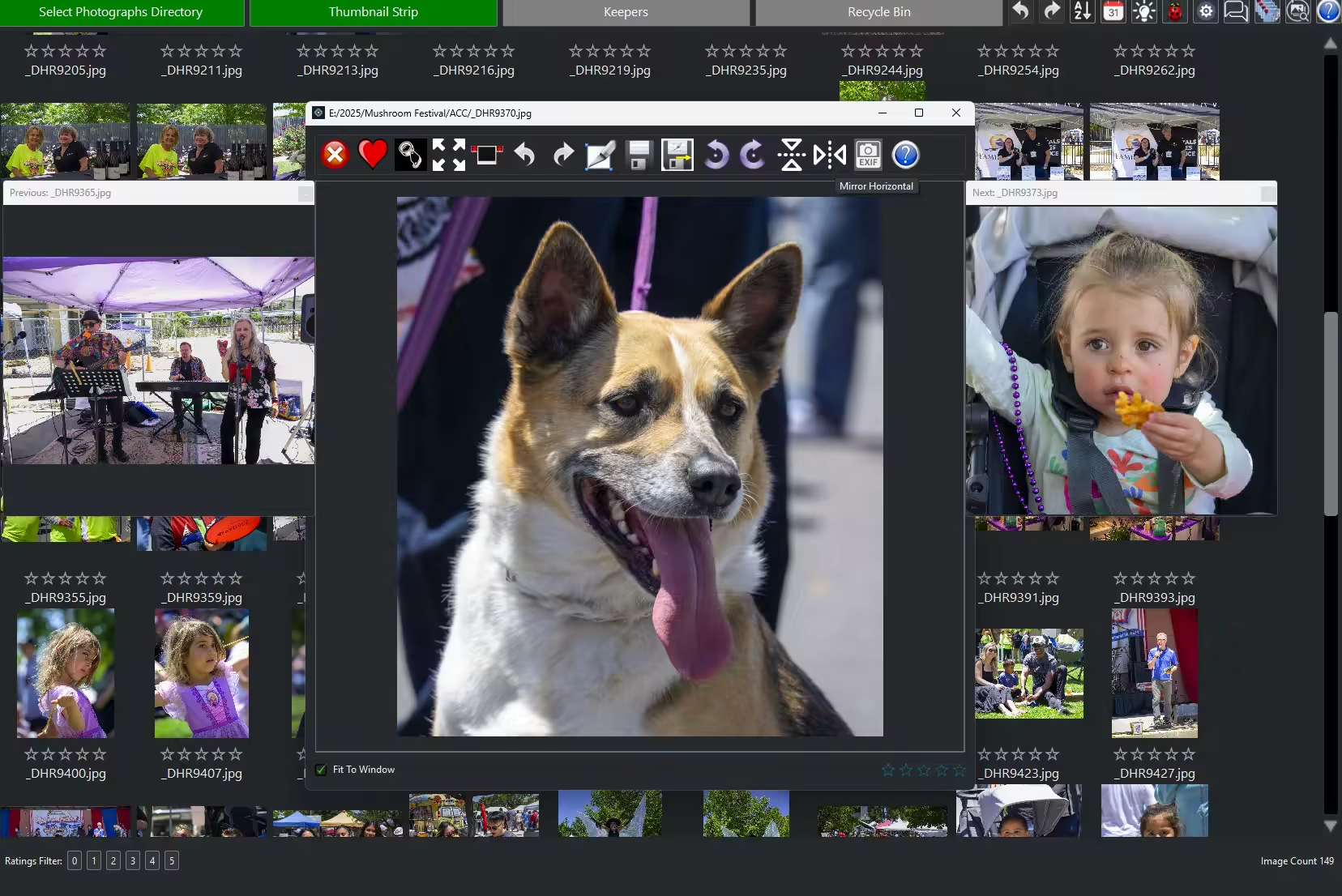
PhotoCull is a Windows application designed from the ground up to help you to deliver your photographs faster to your client. PhotoCull streamlines the culling and finalizing of photographs. After a shoot, you can quickly decide which photos to cull or keep for further color processing/refinement. PhotoCull enables you to deliver your photographs faster with intuitive and fast culling, editing features and unique viewing features.
Languages: English | File Size: 167 MB
PhotoCull — это приложение для Windows, разработанное с нуля, чтобы помочь вам быстрее отправлять фотографии клиенту. PhotoCull упрощает отбор и финализацию фотографий. После съёмки вы можете быстро решить, какие фотографии отбросить, а какие оставить для дальнейшей цветокоррекции/коррекции. PhotoCull позволяет вам быстрее отправлять фотографии благодаря интуитивно понятным и быстрым функциям отбора, редактирования и уникальным функциям просмотра.
PhotoCull Features
PhotoCull has many features to speed up your process of selecting photographs to keep and finalizing the ones you do. The features include
- Single key to select “keepers” or cull
- Set ratings, and display by rating
- Undo/Redo for most functions
- Thumbnail viewer for raw and image files
- Finds similar photographs and groups them for easy comparison
- EXIF viewer
- Intuitive panning and zooming
- Thumbnail list or strip view
- Multi-photograph alignment. Aligns photographs quickly for comparison
- Quickly zoom in to 100% (and back) on a specific point
- Simple corrective editing
- Non-destructive. Original photograph is not deleted or modified
- Cropping
- Rotating
- Saving as jpg
What PhotoCull is not
PhotoCull is not a full-featured image editor.
It does not perform
- Color manipulation
- Sharpening
- Noise reduction
- Image processing
System Requirements
Windows 10 version 17763.0 or higher
Home Page - https://photocull.com/
Download from file storage
PhotoCull 1.0.5 cracked
Users of Guests are not allowed to comment this publication.