TrayStatus Pro 5.2.1
TrayStatus shows you the status of keyboard keys like Caps Lock, Num Lock, Scroll Lock, Alt, Ctrl, and more, right in your system tray.
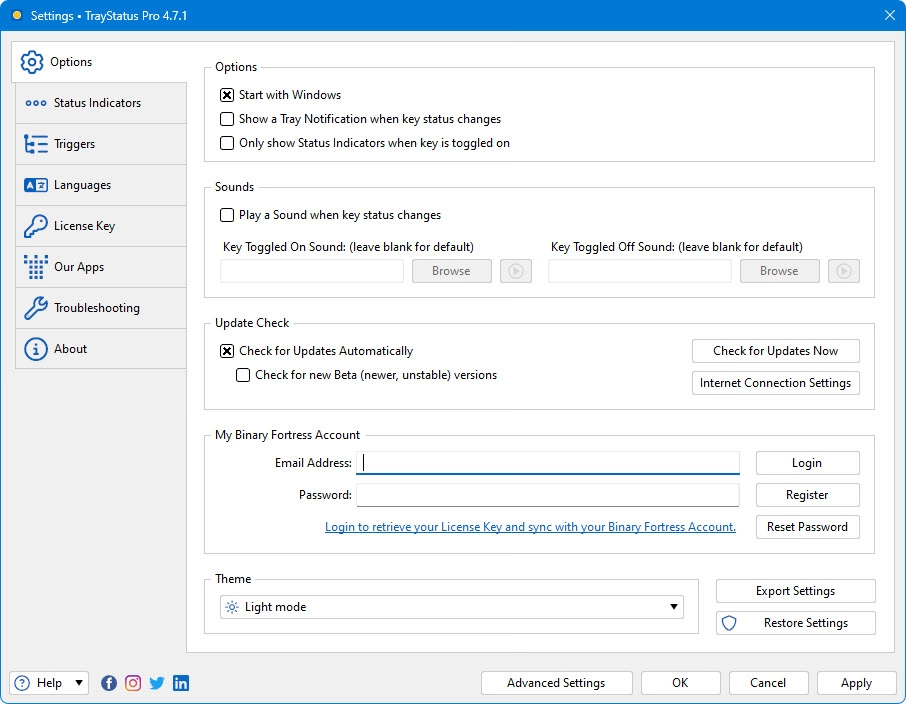
Languages: Multilingual | File Size: 25 MB
TrayStatus отображает состояние клавиш клавиатуры, таких как Caps Lock, Num Lock, Scroll Lock, Alt, Ctrl и других, прямо в системном трее.
Show Key Status
Show the status of the Caps Lock, Num Lock, Scroll Lock, Kana, Alt, Ctrl, Shift and Win keys in your system tray.
Performance Status Indicators
Show CPU, memory, or hard drive activity, or use performance counters to monitor things like disk queue length, network activity, IIS requests and much more.
Triggers
Use the powerful Triggers feature to automatically enable or disable Caps/Num/Scroll Lock when specific applications or windows are focused.
Notifications
Play a sound or show a tray notification when a key is toggled.
Toggle Keys
Double-click a Status Indicator to toggle that key's lock status.
Icon Themes
Use the built-in light or dark icon themes, or create your own custom icon themes to suit your style.
Languages
TrayStatus is translated into many different languages for easier use.
Home Page - https://www.traystatus.com/
Download from file storage
TrayStatus Pro 5.2.1 + keygen-CRD
News article is edited by: 2baksa - 24-07-2026, 17:55
Reason: new version
Users of Guests are not allowed to comment this publication.