Auslogics BitReplica 2.6.0.3
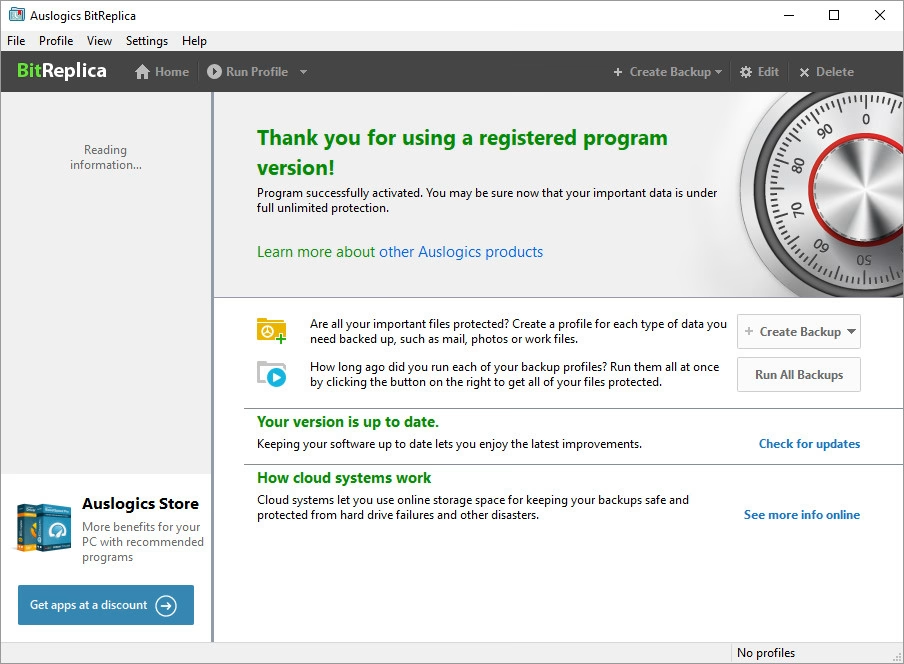
What is BitReplica? It's a tool for backing up files stored on your Windows PC. It protects your photos, music, documents and any other data from being lost due to a hard drive crash, virus attack or accidental deletion. The program should be especially useful for anyone who has several storage drives (it could be several hard drives installed on one PC or several PCs networked together).
Languages: English | File Size: 14 MB
Что такое BitReplica? Это инструмент для резервного копирования файлов, хранящихся на вашем ПК под управлением Windows. Он защищает ваши фотографии, музыку, документы и любые другие данные от потери в результате сбоя жесткого диска, вирусной атаки или случайного удаления. Программа будет особенно полезна тем, у кого несколько накопителей (это может быть несколько жестких дисков, установленных на одном ПК, или несколько ПК, объединенных в сеть).
Back up any files you like
Save all of your important documents, precious photos, videos and music files to an external drive, a networked PC or cloud storage to make sure you never lose any of them. You can specify file groups or select individual folders to back up.
Multiple backup profiles
Create separate backup profiles with different schedules and other settings for different file types. You can make separate archives for work and home files, or base backup rules on how frequently you modify certain files. Each profile can be customized to fit your needs, preferences and schedule.
Full, incremental, and differential backups
Instead of simply copying files, you can have the program compare files in the source and destination folders and only back up the files that have been modified since the last backup (Incremental mode) or modified since the last full backup (Differential mode). The Full Backup feature allows you to make a backup copy of every single file you specify regardless of whether a backup of that file already exists.
Backup scheduling
For each profile you create, you can set a specific time schedule for creating backups with options for hourly, daily or weekly launching, or set it to manual if you prefer to launch it yourself when it is convenient or needed.
Store your backups in the cloud
BitReplica supports a wide range of online storage services: pick one you are already using or sign up with another supported service. Backing up your files to the cloud helps you keep them safe and protected from any PC disaster, and lets you easily access them from any other computer you might be using, synchronize data and restore backups onto other PCs.
Advanced backup options
For added efficiency and for your convenience BitReplica lets you select some advanced options when running backups. You can exclude files from backup by file type or file attributes, check files in a backup for correctness or even launch some specific programs before or after backup.
Extended restore options
Sometimes you only need to recover one or several files that are part of a backup. Let`s say you edited half of the photos in a folder, but accidentally deleted the other half. If you had the folder backed up with BitReplica, instead of restoring the whole backup, you can restore only the files you need.
Back up from any storage media
BitReplica lets you back up files from practically any storage device, not just your hard drive. Go ahead, connect your camera to your computer and back up all those precious moments you would be devastated to lose! The program supports HDD`s, SSD`s, USB flash drives, networked drives and more as source folders for backing up.
Home Page - https://www.bitreplica.com/
Download from file storage
Auslogics BitReplica 2.6.0.3 + Generic Hook by RadiXX11
News article is edited by: 2baksa - 19-05-2026, 13:07
Reason: new version
Users of Guests are not allowed to comment this publication.