AI Text to Speech 1.0.14
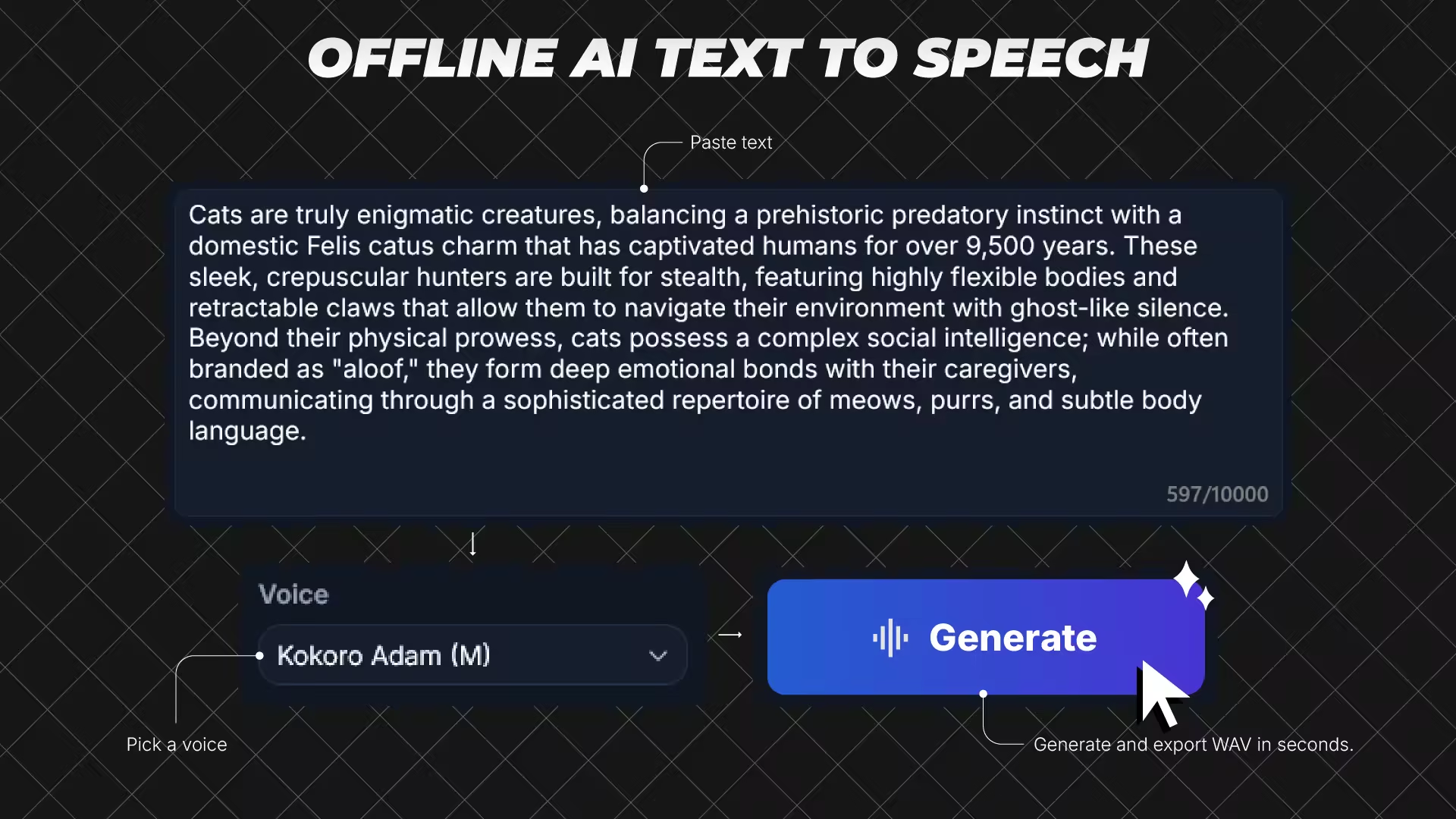
AI TTS is an offline Windows desktop AI text-to-speech app for fast local voice generation. Paste your script, choose a model and voice, generate speech, preview the result, and export WAV files. AI TTS is built for creators, students, and professionals who want a fast, repeatable desktop TTS workflow.
Languages: English | File Size: 629 MB
AI TTS — это офлайн-приложение для Windows, предназначенное для быстрого создания речи на рабочем столе с использованием искусственного интеллекта. Вставьте свой сценарий, выберите модель и голос, сгенерируйте речь, просмотрите результат и экспортируйте WAV-файлы. AI TTS создано для создателей контента, студентов и профессионалов, которым нужен быстрый и воспроизводимый рабочий процесс преобразования текста в речь на рабочем столе.
Choose the model that fits your workflow
- Kokoro-82M (Balanced): better voice quality for final narration
- KittenTTS (Fast): quicker drafts and iterations
Core workflow
1) Paste text
2) Pick model + voice
3) Generate
4) Preview
5) Export
Key Capabilities
- Local AI synthesis workflow (no cloud API key required)
- Up to 10,000 characters per generation
- Automatic chunking for long scripts to keep generation stable
- Speed control from 0.50x to 1.50x
- Preview player with play/pause, seek, and preview history navigation
- Manual export mode: choose save location when exporting
- Auto export mode: save directly to your configured output folder
- Inference hardware preference in settings (Auto / CPU / GPU)
- Dark and light themes
- In-app logs, notices, and license references
- Built-in settings for defaults and export behavior
AI TTS is built for creators, students, and professionals who want a fast, repeatable desktop TTS workflow.
System Requirements
- OS: Windows 10 version 17763.0 or higher
- Memory: 4 GB (Minimum), 8 GB (Recommended)
- Processor: 64-bit dual-core 2.0 GHz (Minimum), 64-bit quad-core 3.0 GHz (Recommended)
Home Page - https://apps.microsoft.com/detail/9np9xhh0c5pv
Download from file storage
AI Text to Speech 1.0.14 Full
News article is edited by: 2baksa - 19-04-2026, 23:43
Reason: new version
Users of Guests are not allowed to comment this publication.