WinCam 4.3
WinCam is a powerful and extremely easy-to-use screen recorder for Windows. It can deal with a given application, a region or the entire screen – and record everything that goes on in there. With the ability to capture up to 60 frames per second, WinCam makes sure your recording doesn’t miss a tiny thing, while hardware acceleration renders and encodes video in real time and truly effortless.
 Languages: Multilingual | File Size: 9 MB
WinCam — это мощная и невероятно простая в использовании программа для записи экрана в Windows. Она позволяет записывать происходящее в отдельном приложении, выбранной области или на всем экране. Благодаря поддержке частоты до 60 кадров в секунду WinCam фиксирует мельчайшие детали, а аппаратное ускорение обеспечивает плавный рендеринг и кодирование видео в реальном времени без лишних усилий.
Designed as simple as possible, WinCam is packed with functions that allow for almost any use: recording video tutorials, saving Skype calls, capturing various media in real time and creating visual content in a hit of a button.
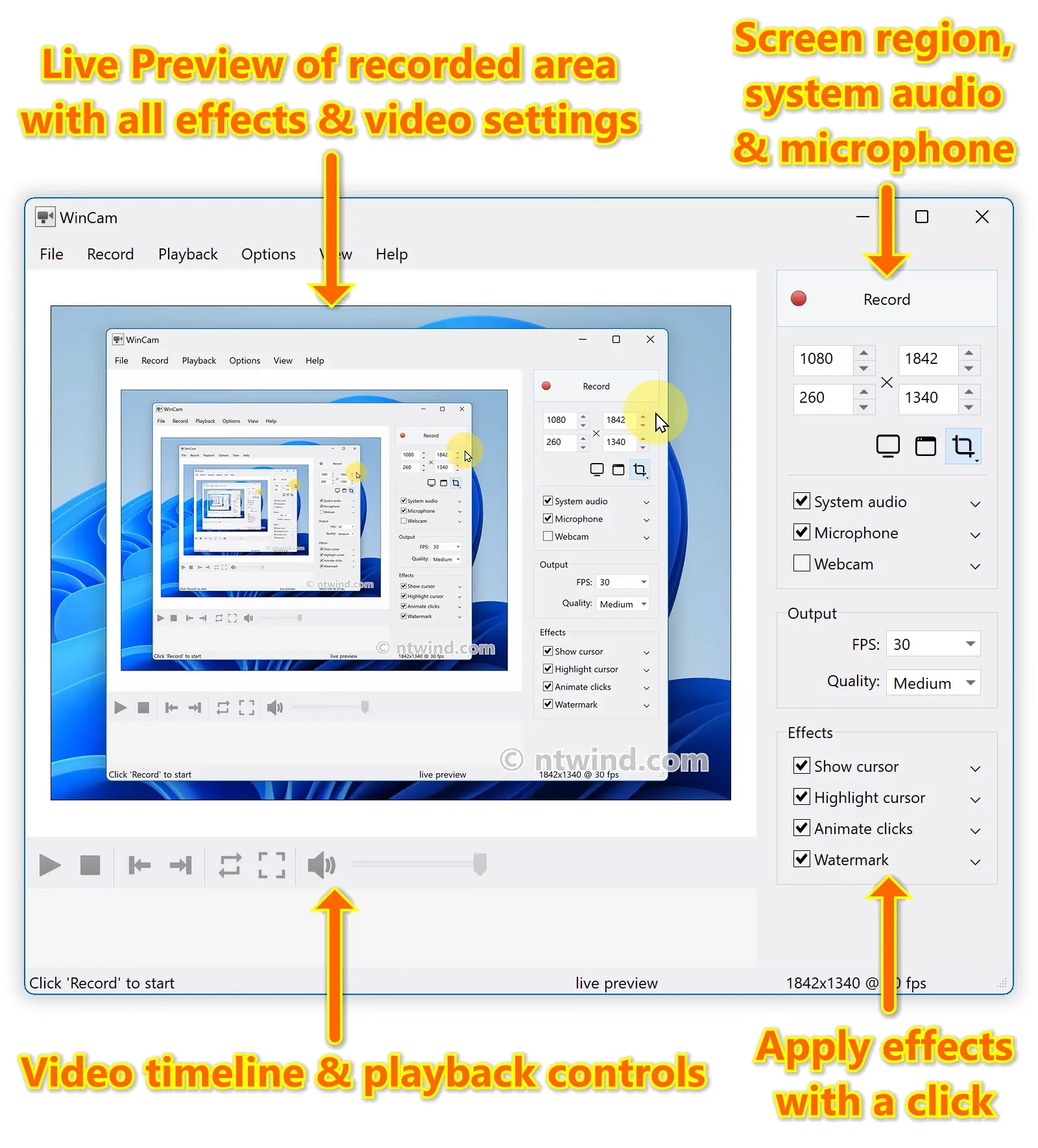
Choose the desired video source and effects, click the Record button and proceed as usual: work in any application, watch video or play games. When you’re done, click WinCam icon or press a hotkey, and the video of your activity is ready for sharing.
Live Preview
WinCam incorporates the same design philosophy as WinSnap (our screenshot creator). On the right pane, you can adjust the video source, the frame rate and post-processing effects, and preview these changes immediately without starting recording.
Cursor Zoom, Highlight and Click Animation
Creating a tutorial, you can make your cursor pop by adjusting its size, adding the highlight effect and mouse click animations. Alternatively, when recording a live-stream video, you might want to hide the distacting cursor entirely.
It’s your preference! In WinCam, it’s a quick option you can adjust in a few clicks.
System Audio and Microphone
With WinCam, you can record system audio, microphone or both simultaneously. The selected audio signals are automatically resampled to achieve the best possible quality, mixed together and encoded in real time alongside the video.
Home Page - https://www.ntwind.com/
Download from file storage
WinCam 4.3 + crack-UZ1
News article is edited by: 2baksa - Yesterday, 20:16
Reason: new version
Users of Guests are not allowed to comment this publication.